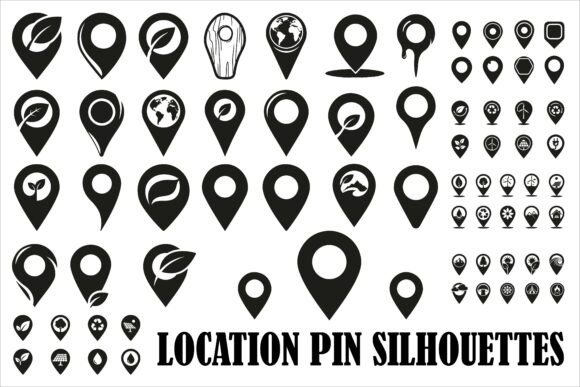
Modern Location Pin Silhouettes
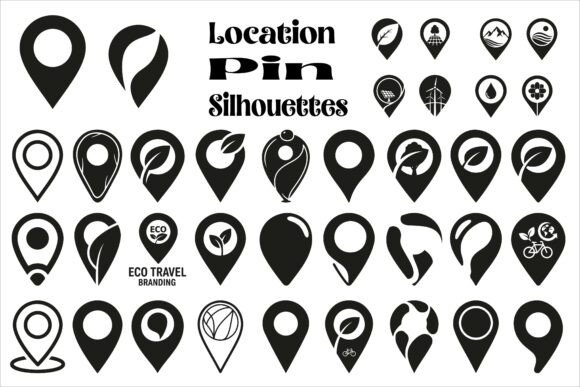
If you’ve ever designed a map, built a travel website, or created an app that shows where something is — you know how much impact a simple, well-designed location marker can have. Modern Location Pin Silhouettes are clean, bold, minimalist map pin shapes — think sharp points, balanced proportions, and confident outlines — all delivered as pure black silhouettes. They’re not cluttered with shadows, gradients, or unnecessary details. Just clear, functional, instantly recognizable icons that say “here” without saying a word.
Why These Pins Stand Out in Real Projects
Unlike generic map markers that blend into the background or feel dated, Modern Location Pin Silhouettes are crafted for visual clarity and versatility. Each one is intentionally simplified — no frills, no distractions — so it works equally well at 16 pixels on a mobile screen or scaled up to 3 feet wide on a printed poster. That balance of simplicity and strength makes them ideal for people who need consistency across formats: whether you're embedding pins in an interactive map, adding them to a blog post about local hiking trails, or using one as the central icon in a small business logo.
What’s Included — And Why Format Variety Matters
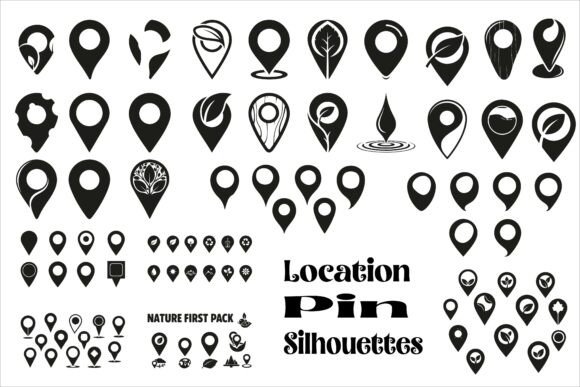
You get 30 unique pin designs — each available in six professional file types: SVG, PNG (with transparent background), JPG, EPS, PDF, and AI (Adobe Illustrator). That means:
- SVG files scale infinitely without losing quality — perfect for responsive websites or digital dashboards.
- PNGs with transparency drop cleanly onto photos, maps, or colored backgrounds — great for social media graphics or presentation slides.
- JPGs offer lightweight compatibility for email newsletters or basic web use.
- EPS and AI files give designers full editing control in vector-based tools like Illustrator or Affinity Designer.
- PDF versions are print-ready and easy to share with clients or printers who don’t use design software.
This breadth isn’t just convenient — it removes friction. You won’t waste time converting files or compromising quality when switching from screen to print or from web to merch.
Where These Pins Fit Naturally Into Your Work
Think beyond traditional maps. A Modern Location Pin Silhouette might be the subtle accent on a café’s Instagram story highlighting their new outdoor seating area. It could anchor an infographic comparing bike-share stations across three cities. Or serve as the key visual in a teacher’s geography lesson — printed large and laminated for classroom walls.
Small business owners use them to mark service areas on their homepage (“We serve Austin, San Antonio & Dallas”). Travel bloggers embed them in trip recaps to show stops along a road trip route. Educators layer them onto custom world maps for student projects. Freelance designers include them in brand kits for hospitality clients launching a new boutique hotel chain.
Even hobbyists find uses: stitching one onto a handmade travel journal cover, cutting it out as a vinyl decal for a laptop, or animating it into a smooth “drop” effect for a portfolio site’s contact section.
Realistic Use Cases You Can Try Today
- Add a pin silhouette next to your address in the footer of your WordPress site — use the SVG so it stays crisp on any device.
- Create a printable “Local Favorites” poster for your neighborhood newsletter — layer three different pin styles (one for cafes, one for parks, one for shops) using the PNGs with transparency.
- Design a sticker pack for a travel podcast — resize the SVGs to fit circular or square sticker templates, then export as print-ready PDFs.
- Build a custom Google My Business post graphic — drop a pin over a photo of your storefront using the PNG, then add a short caption like “New hours starting Monday!”
Things to Keep in Mind Before You Start Using Them
First, consider contrast. Since these are minimal black silhouettes, they rely on light backgrounds for maximum legibility. If you plan to use them over dark images or deep-colored sections of your site, check how they look in context — some may need a subtle white stroke or light drop shadow added in your editor (most vector files let you do this easily).
Second, remember that simplicity serves function — but doesn’t replace labeling. A pin alone tells users “location,” not “what’s here.” Always pair it with clear text — especially in infographics or apps where clarity affects usability.
Third, while all 30 designs share the same clean aesthetic, they vary subtly in shape: some have rounded bases, others taper sharply; a few feature slight angular accents or softened tips. Flip through the set before choosing — the right variation often depends on your project’s tone. A tech startup might prefer a geometric, precise pin; a wellness retreat may lean toward a softer, slightly organic outline.
A Practical Tip for Beginners
Start with SVG or PNG — they’re the easiest to test. Drag one into a blank document or webpage preview. Resize it. Zoom in. See how it holds up. Once you’re comfortable with how it behaves, explore the AI or EPS files if you want to tweak stroke weight, adjust spacing, or recolor elements (though keep in mind these are designed as black silhouettes — altering color changes their intended minimalist impact).
And if you’re building something meant for broad accessibility — like a public-facing map or school resource — test contrast ratios using free online tools. These pins work best when they meet WCAG guidelines for text and icon visibility.
Modern Location Pin Silhouettes aren’t about reinventing the map marker. They’re about refining it — removing noise, honoring function, and giving creators a reliable, polished tool that works quietly but effectively across nearly every medium they touch.